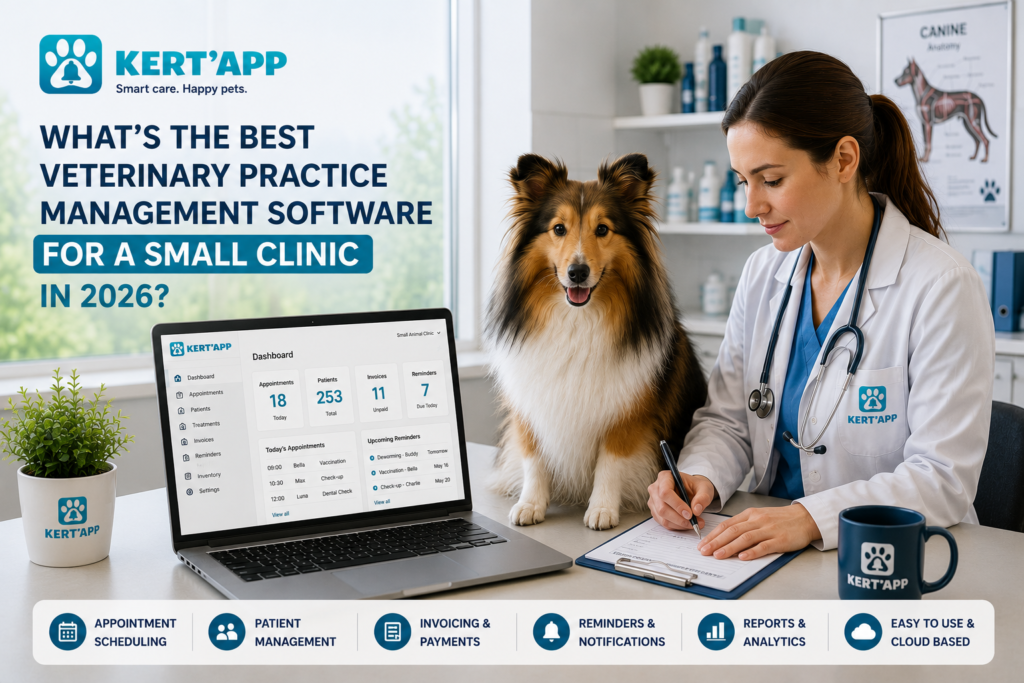
The best veterinary practice management software for a small clinic in 2026 is a cloud-based system that combines automated scheduling, digital medical records, and integrated billing in one platform.
For most 1–3 doctor practices, options like ezyVet, IDEXX Neo, Covetrus, Vetspire, and Hippo Manager are the most widely used fits. There’s no single universal “best” ; it depends on your team size, budget, and whether you need mobile access. But a cloud-based, per-seat-priced system with strong automation almost always beats an on-premise platform built for large hospitals.
This guide breaks down what small clinics genuinely need from veterinary practice management software in 2026, what to skip, and how to switch systems without losing a single patient record along the way.
What Is Veterinary Practice Management Software (and Why It Matters for Small Clinics)
Veterinary practice management software is the system that runs the non-clinical side of your practice: scheduling, medical records, billing, client messaging, and inventory, all in one place. Instead of juggling a paper appointment book, a separate invoicing tool, and a whiteboard for reminders, everything lives in one system.
Core Functions
At its core, this kind of software handles four things:
- Scheduling : booking, rescheduling, and tracking no-shows
- Medical records : digital charts, treatment history, lab results
- Billing : invoices, payments, and insurance paperwork
- Communication : appointment reminders and follow-up messages
Small Practice vs. Multi-Vet Hospital
A five-doctor hospital needs multi-location scheduling, layered staff permissions, and detailed reporting dashboards. A one- or two-doctor clinic usually doesn’t. What a small practice actually needs is something fast to learn, light on admin overhead, and priced per-seat rather than per-enterprise. Buying software built for a 40-person hospital, when you’re a team of three, usually means paying for features you’ll never touch.
Must-Have Features for a Small Veterinary Practice
Not every feature on a vendor’s homepage matters equally. Here’s what actually moves the needle for a small clinic.
Appointment Scheduling & Automated Reminders
Missed appointments cost small clinics real revenue : not massively, but consistently, week after week. Automated SMS and email reminders cut down no-shows without anyone on your team having to make a phone call. If you already use a reminder system to help pet owners keep vaccinations and appointments on schedule, this is the same idea, just built into your practice software instead of a standalone app.
Electronic Medical Records (EMR/EHR)
Digital charts should let you pull up a patient’s full history in seconds : past treatments, medications, allergies, and lab results : without flipping through folders. Look for software that lets you attach lab results and images directly to a patient file, not just typed notes. Good EMR systems also make it easier to spot patterns over time, similar to how owners are advised to track a pet’s weight and health changes between visits : except your software should be doing that trend-spotting automatically, across your whole patient list.
Billing, Invoicing & Payment Processing
Your software should generate invoices automatically from the treatment record, accept card and digital payments, and integrate with (or at least export cleanly to) your accounting software. Manual re-entry between systems is where errors : and lost revenue : creep in.
Client Communication Tools
Two-way texting, appointment confirmations, and post-visit follow-ups keep clients engaged without extra staff time. This matters more for small clinics than it sounds, since you don’t have a dedicated front-desk team to chase people down.
Inventory Management
Vaccines and medications expire. Good software tracks stock levels and flags low inventory or upcoming expiration dates automatically, so you’re not discovering a shortage mid-appointment.
Cloud-Based vs. Local Server Software: Which Is Safer for Vet Data?
This is one of the most common questions small clinic owners ask, and the honest answer is: it depends on your risk tolerance and your internet reliability.
Cloud-Based Systems
Pros: Lower upfront cost, automatic updates, access from any device, and the vendor handles backups.
Cons: You need a stable internet connection, and your data lives on someone else’s servers : which means vendor security practices matter a lot.
Local Server Systems
Pros: Full control over your data, works without an internet connection, no recurring cloud fees.
Cons: You’re responsible for backups and security. If your server fails and you haven’t backed up properly, recovery can be slow and expensive.
Backup and Disaster Recovery
Whichever route you choose, ask your vendor directly: “What happens to my data if your servers go down, or if my local server fails?” A vendor that can’t answer this clearly in one sentence is a red flag.
Top Veterinary Practice Management Software Options to Consider in 2026
Rather than crowning one “best” system : which varies clinic to clinic : here’s a factual look at where several well-known platforms tend to fit, based on their publicly documented feature sets:
- ezyVet : cloud-based, known for strong integrations with diagnostic labs and multi-location support.
- IDEXX Neo : cloud-based, tightly integrated with IDEXX diagnostic equipment, often a natural fit if you already use IDEXX lab tools.
- Covetrus (ImproMed/AVImark) : offers both cloud and on-premise options, widely used across independent clinics.
- Vetspire : cloud-native with a focus on AI-assisted charting and workflow automation.
- Hippo Manager : cloud-based, positioned toward smaller and mid-sized practices with simpler pricing tiers.
What to Actually Compare (Beyond the Feature List)
Every vendor’s website lists similar features. What separates a good fit from a bad one is usually:
- How responsive their support team is (test this before signing, not after)
- Whether the mobile app is a real product or an afterthought
- Contract length and cancellation terms
- How much data migration actually costs
How Much Does Veterinary Practice Software Cost for a Small Clinic?
Pricing varies by vendor, but most veterinary practice management platforms fall into one of these models:
- Per-user, per-month : common for cloud-based systems, scales with your team size
- Flat monthly fee : a set price regardless of user count, more common for smaller practices
- One-time license + maintenance : more typical of on-premise/local server systems
Hidden Costs to Watch For
- Data migration fees : moving records from your old system isn’t always free
- Training time : staff hours spent learning the new system are a real cost, even if the software itself is cheap
- Add-on modules : some vendors charge extra for things like inventory management or client texting that you’d assume were included
Ask vendors for a full, itemized quote before committing : not just the headline monthly price.
Is My Veterinary Software HIPAA and GDPR Compliant?
This question comes up a lot, so let’s clarify something important: HIPAA applies to human health information, not animal patient records. Veterinary clinics aren’t legally bound by HIPAA the way a human hospital is. That said, the client data your software stores : names, addresses, payment details : is still personal data, and it deserves the same level of protection.
What Compliance Actually Means for Vet Clinics
In practice, “compliance” for a vet clinic usually means:
- Encrypted storage of client and payment data
- Secure login practices (two-factor authentication where possible)
- A clear data-retention and deletion policy
GDPR Considerations
If your clinic serves clients in the EU or UK, GDPR does apply to how you store and process their personal data, regardless of what species you’re treating. Ask any cloud vendor directly where their servers are located and whether they offer a GDPR-compliant data processing agreement. You can review the official requirements directly on the European Commission’s GDPR overview page if you want the source text rather than a vendor’s summary of it.
If your clinic also handles pet insurance paperwork for clients, it’s worth double-checking what pet health information insurers actually require for a claim : your practice software should be able to pull that data cleanly rather than forcing manual re-entry.
How AI Is Reducing Burnout in Small Veterinary Practices
Veterinary burnout isn’t a mystery : it’s well documented, and admin overload is one of the biggest contributors. This is where 2026’s software actually earns its keep.
AI Scribes and Automated SOAP Notes
AI-assisted note-taking tools listen during an appointment and draft SOAP notes automatically, so vets aren’t typing while trying to hold a squirming Labrador still. The technology has improved noticeably at handling background noise and interruptions, though it’s still worth testing with your specific exam-room environment before fully relying on it.
Cutting Down Admin Time
For a solo or two-person practice, every minute saved on charting is a minute back with either a patient or, frankly, your own lunch break. This is arguably the single biggest quality-of-life upgrade practice software has offered in the last few years.
How to Switch Veterinary Software Without Downtime
Switching systems is usually the part clinic owners dread most : understandably, since a bad migration can mean lost records or a chaotic week of double-booked appointments.
Data Migration Checklist
- Export a full backup of your current records before starting anything
- Confirm with your new vendor exactly which data fields transfer automatically (and which need manual entry)
- Run a test migration with a small sample of records first
Staff Training Timeline
Realistically, budget one to two weeks for staff to get comfortable with a new system’s daily workflows : scheduling and charting first, billing and reporting second.
Running Both Systems in Parallel
The safest approach is a short overlap period: keep your old system accessible (read-only, if possible) for a few weeks while the new one goes live. It’s more work upfront, but it means nobody is stuck without a patient’s history mid-appointment.
Best Software for Mobile and House-Call Vets
Mobile and house-call vets have different needs entirely : mainly, software that doesn’t fall apart the moment Wi-Fi disappears.
What Mobile Vets Actually Need
- Offline access that syncs automatically once you’re back online
- A genuinely usable tablet/iPad app : not just a shrunk-down desktop version
- Fast record lookup, since house-call vets often don’t have time to dig through menus between visits
If you’re comparing options specifically for mobile work, prioritize this over feature lists built for stationary clinics : a beautifully designed billing dashboard means nothing if it doesn’t load in a client’s driveway with no signal.
Key Takeaways
- Small clinics need software prioritizing ease of use and per-seat pricing over enterprise-scale features
- Cloud-based systems offer lower upfront cost and remote access; local servers offer more control but more responsibility
- HIPAA doesn’t legally apply to animal records, but GDPR does apply to client personal data for EU-based clients
- AI-assisted charting is one of the most effective burnout-reduction tools available to small practices in 2026
- Safe software migration requires a backup, a test run, and a short overlap period : never a same-day switch
Frequently Asked Questions
What is the best vet software for a 1-doctor practice?
There isn’t one universal answer, but for solo practices, simpler cloud-based platforms with per-seat pricing (rather than enterprise hospital systems) tend to be the better fit, since you’re not paying for multi-location or large-team features you won’t use.
Which vet software has the best UX for small teams?
This varies by vendor and changes frequently as platforms update their interfaces, so it’s worth requesting a live demo and testing the scheduling and charting workflows yourself before committing.
How much does veterinary software cost for a small clinic?
Costs typically follow a per-user monthly fee, a flat monthly rate, or a one-time license model, with additional charges possible for data migration, training, and optional add-on modules.
Do small vet clinics need cyber insurance if they use cloud software?
Many clinics choose to carry cyber insurance regardless of whether their software is cloud-based or on-premise, since client payment and personal data carry risk either way. This is worth discussing with your insurance provider directly.
How long does it take to train staff on new vet software?
Most small teams can learn core scheduling and charting functions within one to two weeks, with billing and reporting workflows typically taking a bit longer to master fully.
Is there vet software that works well on an iPad?
Several cloud-based platforms offer dedicated tablet apps built for exam-room and mobile use, though quality varies significantly between vendors : testing the app yourself before committing is strongly recommended.
Final Verdict : Choosing the Right Fit for Your Clinic
There’s no single “best” veterinary practice management software for every small clinic : it genuinely depends on your team size, your internet reliability, and whether you need mobile support. What matters more than any single feature is picking a vendor with responsive support, transparent pricing, and a migration process that won’t leave you scrambling.
If you’re also focused on the client-facing side of care : things like automated reminders that keep vaccinations and appointments on track or never missing a follow-up appointment : it’s worth checking whether your practice software handles that natively or whether you’ll need a dedicated tool alongside it. Kertapp’s resources for veterinary professionals cover exactly this kind of workflow gap, and you can browse more clinic and pet-care guides on our blog.